Basic Usage
Minimal Example
from curses_fzf import FuzzyFinder, CursesFzfAborted

data = ["apple", "banana", "grape", "orange", "watermelon"]
fzf = FuzzyFinder()
try:
    result = fzf.find(data)
except CursesFzfAborted:
    print("Fuzzy finder aborted by user.")
else:
    print(result[0])
In this minimal example, you can select a single item from a list of strings
using FuzzyFinder.
Accept an entry using the ENTER key or cancel the selection using the
ESC key or Ctrl+C.
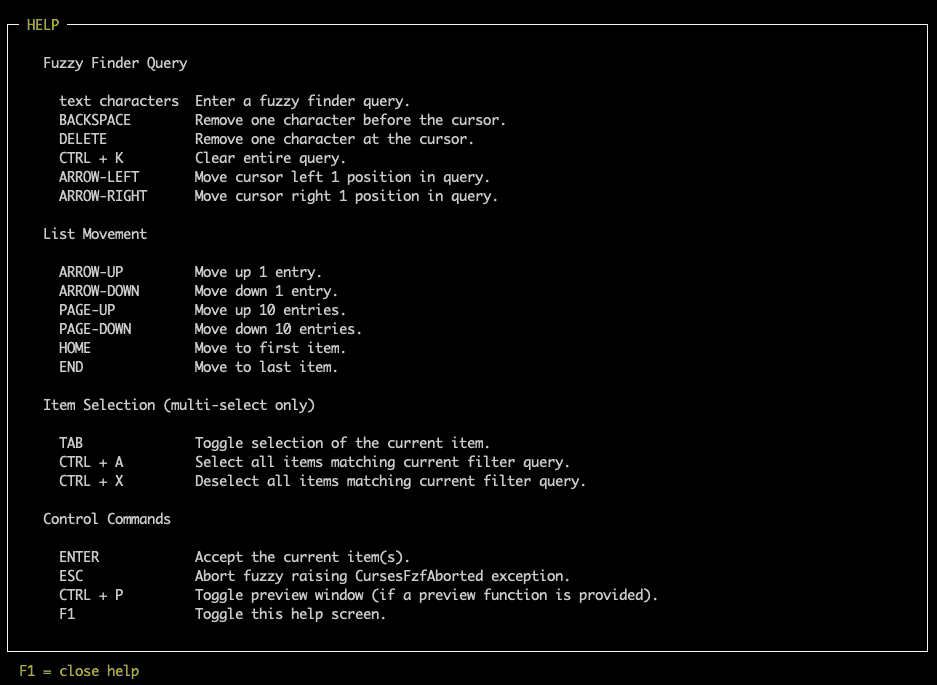
Use F1 to toggle the help screen, which shows all available key bindings.
Since in single selection mode it is not possible to select no item, there is
either exactly one item in the resulting list or the selection process was
aborted by the user, which raises a CursesFzfAborted
exception.
Related examples:
Multi Selection
from curses_fzf import FuzzyFinder, CursesFzfAborted

data = ["apple", "banana", "grape", "orange", "watermelon"]
fzf = FuzzyFinder(multi=True)
try:
    result = fzf.find(data)
except CursesFzfAborted:
    print("Fuzzy finder aborted by user.")
else:
    for item in result:
        print(item)
In multi selection mode, you can select an
arbitrary number (including zero) of items from the list using the
TAB key. The final selection is again accepted using the
ENTER key.
Related examples:
Query Pre-Seeding
fzf = FuzzyFinder(query="the in")
result = fzf.find(data)
result2 = fzf.find(data, query="other search")
By default FuzzyFinder will start with an empty
query.
The unfiltered list will then be presented in its original order.
If the user enters a filter query the
filtered list is reduced to the matching items,
sorted by match score (see
score() function).
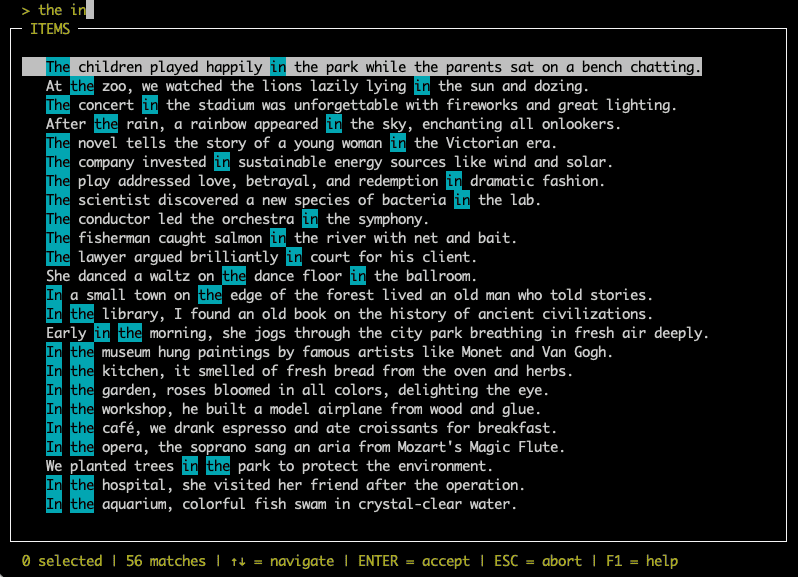
The query can also be pre-seeded with a given
string.
The user is still able to fully modify the query,
including completely clearing it (Ctrl+K).
The parameter query can be given to
FuzzyFinder constructor or the object’s
find() method.
Related examples:
Title - Prompting the user
fzf = FuzzyFinder(title="Select an item!")
result = fzf.find(data)
result2 = fzf.find(data, title="other title")
Instead of "ITEMS", you can provide a custom title for the
FuzzyFinder main window.
The parameter title can be given to
FuzzyFinder constructor or the object’s
find() method.
Related examples:
Autoreturn
result = FuzzyFinder(multi=True, query="foo", autoreturn=3).find(data)
If the list of items provided contains exactly the number of entries defined
by autoreturn, FuzzyFinder
will return those entries without user interaction.
This is most useful in combination with a pre-seed
query, in which case the number of matches
is checked against the autoreturn value.
The default 0 means “don’t autoreturn”.
If multi is True the number given as
autoreturn’s value is checked against the
filtered list of results.
If multi is False the number given as
autoreturn’s value is not relevant, if a single
match remains, it will be returned.
Related examples:
Page Size
result = FuzzyFinder(page_size=5).find(data)
The page_size parameter (default 10) defines
the number of entries that are skipped by the keys PAGE_UP
and PAGE_DOWN.
Modifying this parameter can be useful if you have a very long list of items and
want to jump through it faster.
Related examples: